Email signature management software
IT keeps control. Marketing gets the channel.
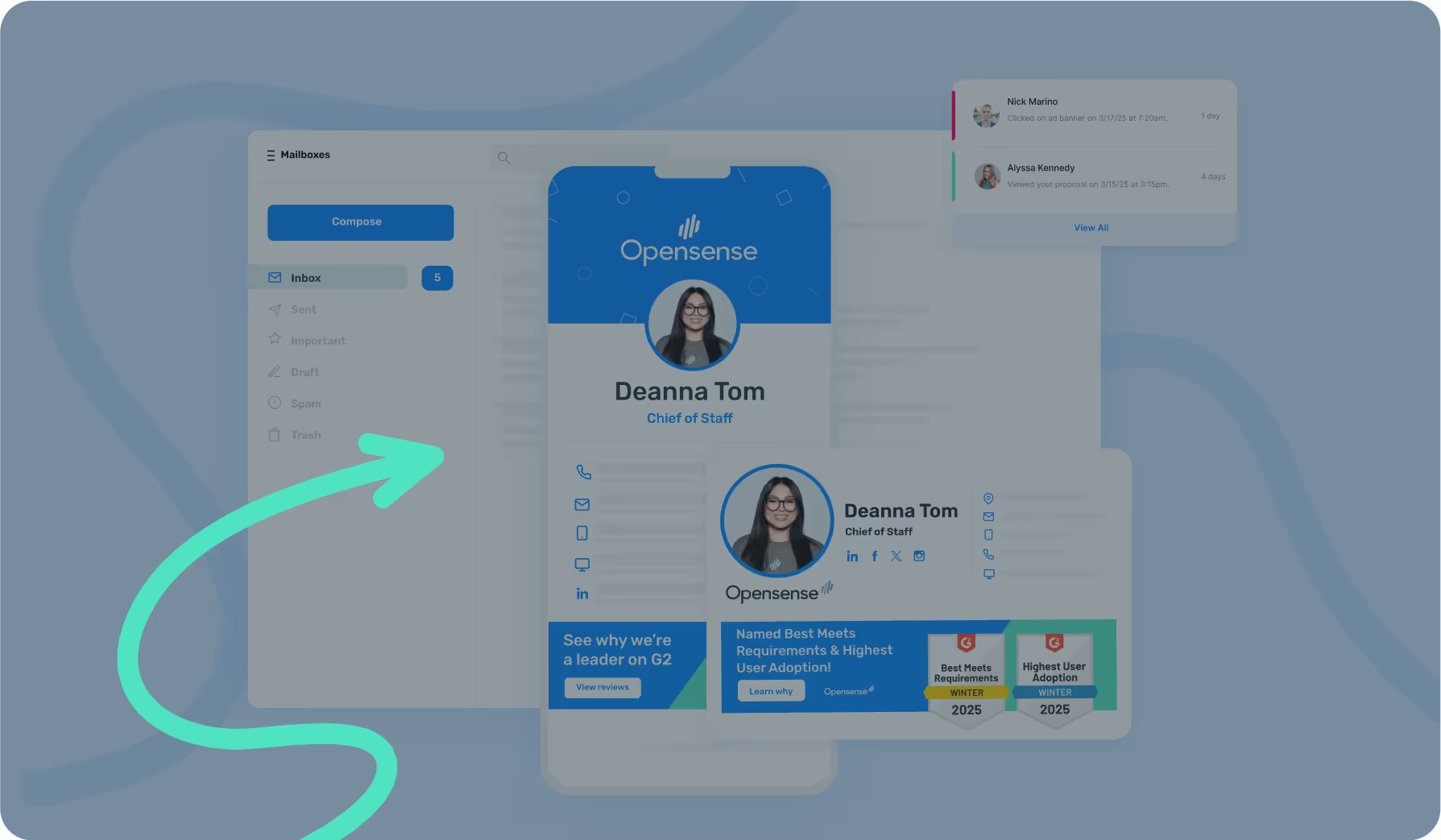
Opensense governs email signatures, banners, and digital business cards across Microsoft 365 and Google Workspace. One platform, every employee, every send, always on brand.
IT deploys company-wide in minutes. Marketing owns it from day one.
- Microsoft 365
- Google Workspace
- Microsoft Exchange





The Problem
Your email signatures are wide open.
They carry your brand, and your legal disclaimer. Nobody can track every version.
- The template IT signed off
- Incorrect title
- A quote they liked
- Old banner
- Badge nobody approved
- Outdated logo
- Missing headshot
- Disclaimer dropped
Approved

After seven edits, none of them approved
A 1,000-person company sends roughly ten million emails a year. Every one can be a chance for something unapproved to go out.
Deploy once. Set the rules. Stop getting tickets.
It fits your mail flow.
Configure email signatures in Microsoft 365 or Google Workspace. Choose server-side, client-side, or both, to fit your security posture.
Information stays up to date
Your directory or HR system integrates with Opensense to keep titles, numbers, and departments current. Or upload a CSV to manage the fields yourself.
Choose what’s editable
Lock the fields that matter. Let people edit their own details, like pronouns and social links.
A Marketing channel in every employee email
- Build pipeline

- Accelerate pipeline

- Expand customers

One template, every audience.
Create dynamic campaigns without touching the template. Rotate creative by campaign, region, or CRM segment.
See ROI from email you already send
Extend existing campaigns onto email you already send. Track clicks per campaign, employee, and account, and tie them back to pipeline.




Wired to your stack
Campaigns can be triggered from the data already in your tech stack. No new list to build, and no export to keep in sync.
Hear from our customers
"With Opensense, we always know that our user signatures look good for our clients. That’s crucial.”
 Robinson K.Director of Infrastructure at Jobot
4.82%
click-through rate on 287,713 impressions, from one banner run to target accounts
Snowflake"We’re segmenting banners by employee function and communicating different messages all from a single, centralized admin console. Opensense serves as our extra layer for our demand gen campaigns, allowing us to segment banners and communicate different messages effectively. It has been a game changer for our targeted messaging."
Tom C.Corporate Website Manager at ARCOS“Opensense email signature banners increased our ticket sales by 10%. It was one of our highest ROI channels. And these are tickets that cost over $1,000,”
 Lauren A.Manager of Demand Generation at Outreach
3,000+
employee signatures moved over and centrally managed, with nothing to install on anyone’s computer
American Cancer Society"Opensense has been wonderful for promoting Diversity, Equity, and Inclusion initiatives. Starting with Pride Month last year, we extended it to Hispanic Heritage, Pride, and Black History, aligning our logos and featuring banner messages celebrating each occasion. These campaigns are now integral to our organizational identity."
Molly S.SVP of Connections & Design at Horizon Media
“We don’t ever have to worry about email signatures again.”
 UWM 8,200 employees
"The easiest thing for me is uploading users - it's so easy. If a user has an incorrect username, Opensense flags it, so I don't have to search for it manually. The user upload functionality is fantastic for the email signature portion.”
 Rosa Y.ABM Manager at Snowflake
25,000+
signature combinations in use, across parent companies, joint ventures, and real estate partners
CMG Financial"We struggled with having to constantly update the plugin – which would not only impact our workload but would also impact the live signatures. We had double banners and other technical issues that we had to workaround. With Opensense, you put the tag in the signature, and it works seamlessly."
 Christine K.Marketing Technology and Automation
“The scalability across devices and platforms is excellent. We always know that the person receiving our emails is getting the right signature and seeing a nice banner."
 Laura V.Director of Association Technology at NAR
20
departments on one set of rules, across more than 3,000 county employees
Montgomery County
20%
more webinar signups, with higher-quality attendees, from banners that replaced paid ads
EDF Renewables“In my mind, the email signatures were there to enable our company to remain on-brand - but what I wasn't expecting was people to click and purchase. Since we’ve deployed the email ad campaigns, we’ve seen at least 17 purchases from our signature alone. That’s incredible.”
 Kate R.Brand Director at Design Pickle
Opensense has become indispensable in our sales tech stack, helping us scale the team, boost productivity, elevate the customer experience, and reduce friction within the buyer's journey.
Esther F.VP of Sales Efficiency and Transformation at Five9“I was blown away. Not only could you track when a prospect opens an email but on what device, where they were in the world and on what email software. We could see their actions in real-time, get an instant replay video of how they interacted with attachments and videos, and whether they forwarded them. It’s incredibly powerful."
 Jeff G.COO of C3 Metrics
"The intuitive technology that Opensense uses to allow me to target those "hotter" prospects, and have a clear understanding of what they are looking for, so I can position my sales call accordingly. Review collected by and hosted on G2.com."
 G2Mid-Market User in Transportation from G2 Review
"Opensense provides a level of professionalism that comes with having a bonafide, fortified email signature where nothing can be misconstrued. You have all the power to fix or unfix an email signature for thousands of people with a click of a button. It's a game-changer, especially for a customer-facing industry like ours”
Sanford T.Senior Business Systems Analyst at CMG Mortgage, Inc.
FAQ
Frequently asked questions
Two ways, and you can run both together: server-side through an Exchange Online transport rule, or the Outlook add-in. With the add-in, mail stays inside Microsoft 365 end to end. Most IT teams finish the initial deployment in 45 minutes, and signatures then apply to every employee email regardless of device or client.
Yes, both, with deep integrations on each side. For Microsoft 365 that means Microsoft Entra ID, Exchange Online, and the M365 Integrated App marketplace. For Google Workspace it means Google Directory sync and the Gmail API. Centralized signature management and analytics work the same way in either. One platform, both environments.
Both, by design. IT deploys Opensense once and sets the governance rules. From that point, Marketing manages banner campaigns, rotates creative, targets by CRM segment, and updates templates without filing an IT ticket for every change. IT controls the guardrails. Marketing operates within them.
HubSpot and Marketo send marketing emails to opted-in contact lists. Opensense governs the emails your employees are already sending: every prospect reply, every customer email, every partner communication. Opensense connects to HubSpot, Salesforce, and Marketo so your campaigns can be triggered by CRM data. The two work together, they don't compete.
Yes. Opensense is SOC 2 Type II certified and purpose-built for Microsoft 365 GCC High environments. We have many customers who have various certifications such as FedRAMP High, DFARS, ITAR, and CMMC. Email never leaves the Microsoft 365 environment with the Outlook add-in deployment. We are US Headquartered and US-based support is standard.
Yes, on every Outlook: Windows, Mac, Outlook on the web (OWA), and Outlook Mobile for iOS and Android. The Outlook add-in applies the same signature and banner wherever the message is written, so a reply from a phone matches one from a desk. (Server-side deployment through an Exchange Online transport rule is also available, with nothing to install on the device.)
Email signature management is the centralized control and deployment of professional email signatures across an organization. Opensense provides this solution for enterprise organizations, ensuring brand consistency, compliance with regulations, and enabling marketing opportunities through employee email communications.
Email signature campaigns are targeted banner ads that appear in employee email signatures. They leverage the daily flow of employee email to promote content, events, or offers with 4-7% click-through rates. Opensense enables this with a campaign management feature on the Opensense portal.
Opensense integrates with Microsoft 365, Office 365, Exchange, Google Workspace, Gmail, Salesforce, HubSpot, Outreach, and 40+ other business applications.
Opensense offers flexible pricing plans starting with a Signature plan at $1/user/month, Pipeline plan at $3/user/month for growing organizations, and Complete plan at $5/user/month for large organizations with compliance requirements. All plans carry a $500/month minimum. Contact Opensense for custom pricing based on your organization's size and needs.
Opensense offers free and paid trials to qualified leads.
Yes, Opensense is SOC2 Type II certified and follows enterprise security standards including SSO support, data encryption, and compliance with GDPR, HIPAA, and other regulatory requirements.


Detailed annual SOC 2 audits are performed on our controls and processes, the "gold standard" for security, integrity, confidentiality, reliability, and privacy controls.

As a leading antivirus offering, McAfee’s suite of security features offers businesses the best protection from all types of malware threats. McAfee’s ratings are qualified as completely objective.

We engage trusted, world-class, third-party security firms to conduct routine audits and penetration testing of the Opensense service and infrastructure.

Opensense is the only email signature platform that operates inside Microsoft 365 GCC High. Signatures, banners, and tracking for government, defense, and other highly regulated industries.
Integrations
The most powerful, reliable, and secure solution on the market.
Active Directory, Office 365, and Google Workspace integrations keep email signatures consistent, up-to-date, and always in compliance.
Connect the most critical components of your tech stack to deliver an email experience that serves marketing, sales, and compliance goals.
View integrations
Support you can actually reach.
24/7 Support
24/7 US-based phone & email support



High-Touch Service
Dedicated Customer Success Managers & Technical Contacts

Quick Response
Maximum 4 hour email response time
See it on your own domain.
A demo runs about 30 minutes and uses your own templates and directory, so you see what your employees would actually send.
Get a demo See pricing