Exclaimer Alternative for Microsoft 365 and Google Workspace
Opensense offers an easy-to-use platform to manage your company email signatures, email ad campaigns, sales tracking, and compliance.

What’s the difference?
See how Opensense stacks up in features in comparison to

Opensense helps marketing, sales, and IT teams make more of employee email to guard their brand and grow their funnel. Manage company-wide email signatures, launch email ad campaigns, uncover sales insights, and meet compliance needs, all within a single platform.


Microsoft 365, Exchange & Google Workspace.



What’s the difference?
See how Opensense stacks up in features in comparison to
Opensense helps marketing, sales, and IT teams make more of employee email to guard their brand and grow their funnel. Manage company-wide email signatures, launch email ad campaigns, uncover sales insights, and meet compliance needs, all within a single platform.
Microsoft 365, Exchange & Google Workspace.
Background on Exclaimer
Competitor details checked 2026-11-10. Cells marked Not verified need current vendor confirmation.
Exclaimer and Opensense both manage signatures for Microsoft 365 and Google Workspace. Compare the employee-data rules, campaign workflows, deployment options, and support your organization needs before moving an existing tenant.
Deployment and campaign capabilities
Exclaimer documents server-side, client-side through its Outlook Add-in, and hybrid deployment in its rollout guide. Its campaign product page also describes scheduling and targeting by sender, recipient, and connected Salesforce or HubSpot lists. Those are supported capabilities, not reasons to rule Exclaimer out. Details checked November 10, 2026.
Opensense also offers server-side deployment through an Exchange Online transport rule, the Outlook add-in, or both. The server-side path uses a transport rule. It does not replace one. Google Workspace has Gmail API and add-on paths; test the clients and mailboxes in your own rollout.
When employee information comes from several systems
A signature can need information that no single directory owns:
- Certifications from Salesforce.
- Basic office information from Entra ID.
- Custom document-upload URLs supplied through a CSV.
Opensense combines those sources with configurable priorities for each field. A blank preferred value can fall back to the next source. Custom Liquid template logic controls how the resulting data appears in the signature.
Multi-source user data and Liquid customization are available on every email signature plan. Enterprise SSO, SIEM integration, and CRM writeback of deliveries, views, and clicks are also available on all email signature plans. CRM-object data can drive campaign targeting on Pipeline and Complete.
Pricing and renewal terms
Opensense email signature plans are Signature $1, Pipeline $3, and Complete $5 per user per month, subject to a $500 total monthly minimum. Microsoft 365 GCC High is an additional $2 per user per month on any plan. Trials require sales approval, with no guaranteed duration.
Exclaimer’s current invoice documentation explains that renewal pricing can increase in line with the quote supplied before its 30-day opt-out window. It does not specify a universal annual percentage. Compare the current written quote and renewal terms for your seat count, rather than assuming a fixed uplift. Checked November 10, 2026.
Opensense’s Master Services Agreement says fees “may increase by a mutually agreed upon amount” on each annual anniversary, with at least 30 days’ written notice of a pricing change before the term ends. Your price is not fixed forever. An increase requires agreement and notice.
Who should switch, and who should stay
Short-list Opensense when employee fields need to combine several systems, campaign rules depend on CRM-object data, or security requires enterprise SSO and SIEM integration. A managed Microsoft 365 GCC High service is another reason to evaluate it. Both server-side and Outlook add-in deployment are supported for GCC High; hosting location is selected per customer.
Opensense provides 24/7 US-based phone and email support. Response-time commitments depend on your customer contract.
Stay on Exclaimer when its deployment, data model, and campaign rules already meet your requirements and your current support and renewal terms work for you. Scheduling, recipient targeting, and an Outlook add-in are not exclusive to Opensense. A migration should solve a specific operational problem.
What switching looks like
An Opensense onboarding specialist can help plan the cutover. Bring the existing templates, field mappings, campaign rules, and the current vendor quote to the demo call.
- Connect Entra ID and any other employee-data sources. Set field priorities and fallback behavior before assigning templates.
- Rebuild the signature, departmental variants, disclaimers, and campaign rules. Confirm which CRM objects and fields drive targeting.
- Pilot server-side injection, the Outlook add-in, Gmail API signatures, or the combination your users need. Disable the old Exclaimer path after the pilot’s outbound messages look right.
- Test Outlook desktop, Outlook on the web, Outlook Mobile, and Gmail where relevant. Check deliveries, views, clicks, and CRM writeback before expanding the rollout.
Most Opensense first deployments finish in about 45 minutes once admin access is ready. Parallel-run length depends on your change window. Opensense does not claim real-time directory sync.
The CodeTwo comparison covers a Microsoft-focused alternative. The full alternatives list includes the remaining comparisons.
Book a demo · View pricing · Email signatures · GCC High · Security · Integrations
Frequently asked questions
How does Exclaimer describe renewal pricing?
Exclaimer’s current “Understanding invoices” article says a renewal price may increase in line with the renewal quote provided before the 30-day opt-out window. It does not publish a fixed universal percentage (checked November 2026). Compare the actual renewal quote and contract for your account: https://support.exclaimer.com/hc/en-gb/articles/15423913387293-Understanding-invoices.
How should I compare email signature costs over several years?
Request a written renewal quote for your expected seat count. Compare the renewal price and notice window with the initial term, and check how additional users are billed. A multi-year estimate should use the terms in your agreement rather than assume a fixed annual percentage.
Does Opensense have an automatic annual price increase?
No. Our Master Services Agreement states that on each annual anniversary of the term, fees “may increase by a mutually agreed upon amount,” and that we give at least 30 days’ written notice of any pricing change before the current term ends. Read that carefully, because it is not a promise that your price never moves: it means an increase requires your agreement and advance notice instead of arriving on the invoice. The full clauses are sections 8.1 and 13.2 of the MSA at https://www.opensense.com/legal/msa.
What should I check in an email signature vendor’s contract before renewing?
Check how the renewal price is determined and when you receive the quote. Confirm the opt-out deadline, how seat overages are billed, and when a lower seat count can take effect. Exclaimer’s invoice guide describes account-specific renewal quotes; Opensense’s MSA requires mutual agreement on increases and at least 30 days’ notice. Read the agreement and quote together.
Can Opensense combine user information from several systems?
Yes. All email signature plans support multiple user-data sources with per-field priorities and fallback values. For example, a signature can combine certifications from Salesforce, office information from Microsoft Entra ID, and document URLs supplied by CSV. Custom Liquid template logic is also available on all email signature plans.
What support does Opensense provide?
US-based phone and email support is available 24/7 on all email signature plans. Response-time commitments and other support SLAs are governed by the customer’s contract. G2 rates Opensense 9.7/10 for Quality of Support, based on 372 responses (checked November 10, 2026): https://www.g2.com/compare/exclaimer-vs-opensense-email-signatures.
Is Opensense an Exclaimer alternative for Microsoft 365 and Google Workspace?
Yes. Opensense manages signatures across Microsoft 365 and Google Workspace from one admin model. Exclaimer also supports both email platforms. Compare your requirements for multi-source user data, custom template logic, campaign rules, and managed GCC High deployment. Request current quotes for the same users and features.
How do Opensense and Exclaimer deploy signatures?
Opensense supports an Exchange Online transport rule, the Outlook add-in, or both. Exclaimer also documents server-side, client-side, and hybrid deployment in its rollout guide (checked November 2026): https://exclaimer.com/email-signature-handbook/exclaimer-email-signature-rollout-playbook/. Compare client coverage and mail-flow requirements for your tenant rather than assuming either product is server-side only.
Is Opensense available in Microsoft 365 GCC High?
Yes. Opensense provides managed email signatures for Microsoft 365 GCC High through server-side deployment, the Outlook add-in, or both. Most GCC High customers choose the Outlook add-in. Data hosting location is selected per customer. GCC High compatibility is distinct from an independent FedRAMP authorization or ITAR or CMMC certification. Details: https://www.opensense.com/gcc-high-email-signatures.
How is Opensense priced compared with Exclaimer?
Opensense Signature is $1, Pipeline $3, and Complete $5 per user per month, subject to a $500 monthly minimum. Microsoft 365 GCC High is a $2 per user per month add-on. Exclaimer’s current invoicing guide describes renewal prices in terms of the account’s renewal quote rather than a fixed universal percentage (checked November 2026). Opensense increases require mutual agreement and at least 30 days’ notice. Compare current quotes and terms: https://www.opensense.com/pricing and https://www.opensense.com/legal/msa.
How does Exclaimer vs CodeTwo compare for email signature management?
Exclaimer supports Microsoft 365 and Google Workspace and documents server-side, client-side, and hybrid deployment. Its campaigns support scheduling and recipient targeting, including CRM lists on eligible plans (checked November 2026): https://exclaimer.com/product/campaigns/. Opensense also covers both email platforms and provides per-field priorities across user-data sources, custom Liquid logic, and managed GCC High deployment. Compare the exact rules and integrations your organization needs. The CodeTwo comparison is at https://www.opensense.com/alternatives/codetwo.
Can email signature banner links be hosted on our own domain?
Yes on Opensense. Tracked banner and signature links can resolve on a subdomain you own, so the domain a recipient sees and the domain their security stack checks both belong to you rather than to your signature vendor. Exclaimer publishes an analytics tool that measures banner views and clicks, and points you to UTM tags for deeper reporting, but neither its marketing pages nor its public product documentation describes an option to serve those tracked links from a customer-owned domain (checked September 2026). The live comparison table on this page records that cell accordingly.
Does a vendor’s link domain in my email signature affect deliverability?
It can, and it is smaller than most vendors imply. SPF, DKIM, DMARC and your sending domain’s reputation decide almost all of your deliverability, and a signature is rarely the reason a message lands in junk. What the link domain changes is the margin: filtering engines and link-reputation services score the domains inside a message, and a shared vendor domain carries whatever reputation every other customer using it has earned. It matters most at volume, or where a security review asks which third-party domains appear in outbound mail.
Why look for an Exclaimer alternative that supports custom white-labeled link domains?
Because the alternative is putting someone else’s domain into every message your company sends. A banner is a link, and if the vendor wraps that click to count it, the wrapper is a domain you neither own nor control the reputation of. Hosting it yourself keeps the whole path inside your own brand and your own DNS, and it means changing signature vendors later does not change the domain your recipients have been clicking for years.
See the difference today!
Why choose Opensense?

Enterprise-grade Product
Backed by Bloomberg and built on ultra-redundant multi-cloud environment with fine-grain access and control.

Enterprise-grade Support
24/7 US-based phone and email support. Response-time commitments depend on your customer contract.

Enterprise-grade Security
SOC 2 Type II attestation covering Security, Confidentiality, and Availability, with enterprise SSO and SIEM integration available on every plan.
Used by the brands you depend on





Security
We comply with global data protection and security frameworks.
We know your data is sensitive. That’s why we combine enterprise-grade security features with regular audits to ensure that you’re always protected.



Compare Opensense with other email signature tools
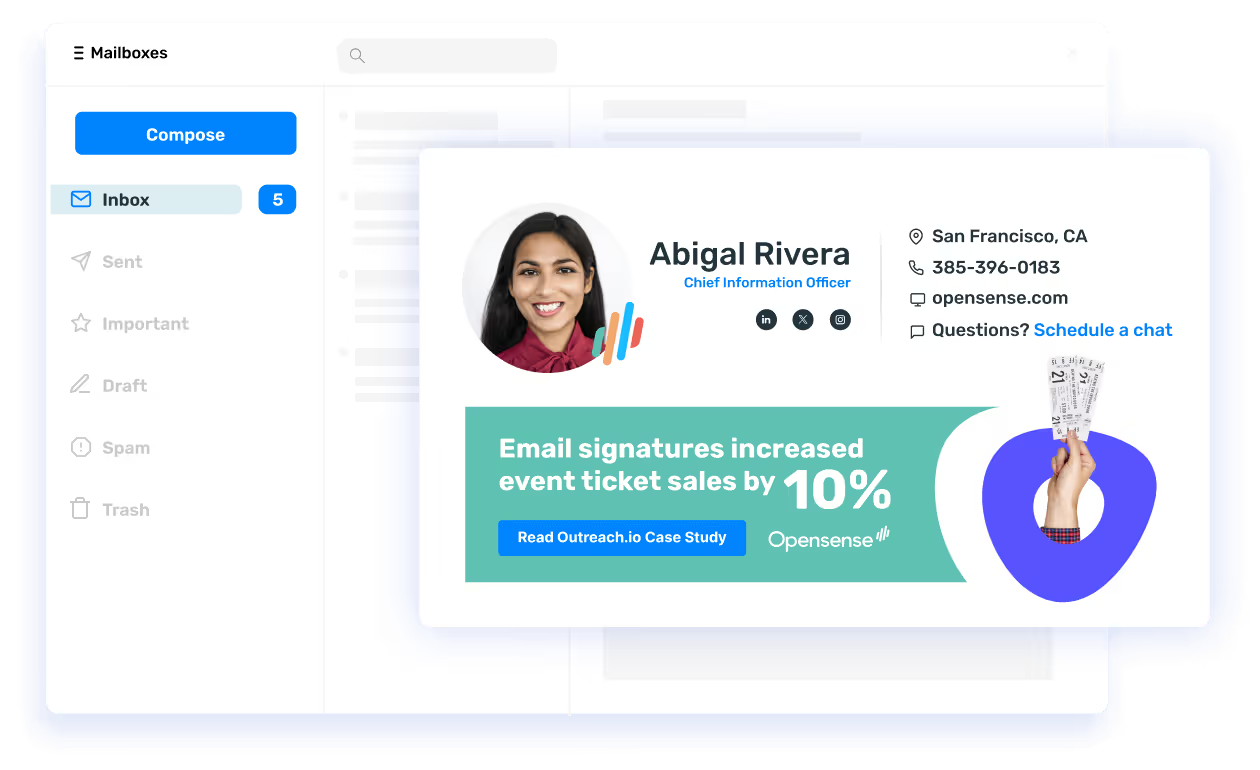
Guard your brand. Grow your funnel.
From beautiful email signatures and powerful ad campaigns to sales analytics and email compliance, Opensense can help you make the most of employee email.
Get demo