Exclaimer Alternative for Microsoft 365 and Google Workspace
Opensense offers an easy-to-use platform to manage your company email signatures, email ad campaigns, sales tracking, and compliance.

What’s the difference?
See how Opensense stacks up in features in comparison to

Opensense helps marketing, sales, and IT teams make more of employee email to guard their brand and grow their funnel. Manage company-wide email signatures, launch email ad campaigns, uncover sales insights, and meet compliance needs, all within a single platform.


Microsoft 365, Exchange & Google Workspace.



What’s the difference?
See how Opensense stacks up in features in comparison to
Opensense helps marketing, sales, and IT teams make more of employee email to guard their brand and grow their funnel. Manage company-wide email signatures, launch email ad campaigns, uncover sales insights, and meet compliance needs, all within a single platform.
Microsoft 365, Exchange & Google Workspace.
Background on Exclaimer
Exclaimer has the #1 used email signature management product in the world (it is the oldest). Founded in 2001 in the United Kingdom, it sells cloud signature management plus adjacent tools such as on-premises Exchange backup and migration. Exclaimer is private-equity owned.
Teams comparing an Exclaimer alternative for Microsoft 365 and Google Workspace usually hit the same gaps. Exclaimer email signature management is strong on stamped Office 365 heritage. The commercial hooks below are why those teams still short-list Opensense:
- Server-side deployment with the stamping method only
- No published US data residency option
- Only on Azure, not hosted on other cloud platforms
- No rotation, scheduling, or recipient-based targeting on banners
- No custom white-labeled domain for banner and signature links
- No options for internal or external multi-recipient targeting
The comparison table above is the live CMS record of those cells. A table row is a tick against a label. The sentences below are what a buyer, or an assistant quoting this page, can actually restate.
Pricing: the 8% renewal wedge
Their pricing carries an automatic annual increase. Exclaimer’s own Knowledge Base article on understanding invoices states that renewals are uplifted by 8% every year, applied by default rather than negotiated per account (checked August 2026). Compounded across three renewals that is roughly 26% above the year-one rate, before any change in seat count.
Opensense does not work that way. Our Master Services Agreement says fees “may increase by a mutually agreed upon amount” on each annual anniversary, and that we give at least 30 days’ written notice of any pricing change before the term ends. That is a narrower promise than it sounds. Your price is not fixed forever. It means an increase needs your agreement and advance warning instead of arriving on the renewal invoice.
Opensense email signature plans are Signature $1, Pipeline $3, and Complete $5 per user per month, with a $500 per month platform minimum plus a service plan. Microsoft 365 GCC High is +$2 per user per month on any plan. The Exclaimer price band still published on this page is historical. Re-quote both vendors for your seat count.
Who owns Exclaimer, and why that reaches your renewal invoice
Exclaimer is on its second private equity owner. It has changed chief executive three times since January 2020. Both of those are matters of public record, announced by Exclaimer and by its investors.
- 2016: Livingbridge, a London private equity firm, takes a majority stake in the business.
- January 2020: Heath Davies becomes CEO, succeeding David Ferguson.
- December 2020: Insight Partners and Farview Equity Partners buy control for more than £100 million. Livingbridge rolls over into a minority holding.
- 2021: Marco Costa replaces Davies.
- September 2024: Rob Singer replaces Costa, who had held the job for three years. (Ownership and leadership dates checked August 2026.)
Read that list alongside the 8% renewal uplift and the uplift stops looking like a pricing quirk. A company held by a control investor is measured on revenue it can forecast, and the most forecastable revenue in software is the increase you take from customers who have already wired you into their mail flow. Publishing the number in a Knowledge Base article, rather than negotiating it account by account, is how that gets done at scale. It is efficient. It is also why the price you agreed to in year one is not the price you are quoted in year four.
There is a second cost to the churn, and it is the one buyers notice late. Sign a three year agreement with Exclaimer today and, on the record above, you are likely to be dealing with a different chief executive before it ends. Whoever you negotiate terms with may not be there to honor the spirit of them.
Opensense is venture backed rather than private equity owned, and Bloomberg is on our cap table. Treat that as a difference in structure, not a character reference. Our investors want the company to grow too. The difference that should matter to you is contractual rather than cultural: our fees move by agreement and with notice, and Exclaimer’s move by 8% because their published invoicing policy says they do.
Where your banner links resolve
Every clickable banner is a link, and someone owns the domain it points at. When a vendor wraps the click so it can count it, that wrapper is a third-party domain riding along in mail your employees send all day. Opensense lets you host the wrapper on a subdomain you own, so the domain a recipient sees, and the one their security stack resolves, both belong to you.
Our own signature guide makes the point from the other side: a banner served from a link shortener or a domain with no sending history is a deliverability problem waiting for a busy quarter. Filtering engines and link-reputation services score the domains inside a message, and a shared vendor domain carries whatever reputation every other customer on it has earned.
Exclaimer publishes an analytics tool that, in their words, “measures how many times email signatures and banners are seen and clicked”, and for deeper reporting it points you to UTM tags so results land in your existing analytics. Neither that page nor their public product documentation describes an option to serve those tracked links from a domain you own (checked September 2026). The comparison table above records the cell as a red X on that basis.
Keep the size of this in proportion. SPF, DKIM, DMARC and your domain reputation decide almost all of your deliverability, and a signature is rarely what puts a message in a junk folder. The link domain matters when you send at volume, when your security team reviews every third-party domain that appears in outbound mail, or when a shared vendor domain has already been flagged somewhere you do business.
Who should switch, and who should stay
Opensense is the better match when marketing owns banners that have to rotate, schedule, and target by recipient or account, when one admin model has to cover Microsoft 365 and Google Workspace, or when the tenant is Microsoft 365 GCC High (or headed there). It is also the match if procurement wants a US-headquartered vendor and an MSA that cannot raise the rate without your agreement.
Stay on Exclaimer if you are happy with stamping-only server-side deployment and Azure-only hosting, you primarily need Exchange and Microsoft 365 signature stamping, and you do not need dual Google Workspace depth, CRM-tied banners, or GCC High. Adjacent Exchange backup and migration tools live in the same Exclaimer catalogue. The published 8% renewal is the cost of that incumbency. If that brief is yours, Opensense is the wrong product.
Opensense deploys two ways: an Exchange Online transport rule, the Outlook add-in, or both together. The server-side path uses a transport rule. It does not replace one. This page records Exclaimer’s server-side path as the stamping method only. We have not independently confirmed a current Exclaimer add-in path, so do not treat that cell as settled.
What switching looks like
You do not have to run this alone. An Opensense onboarding specialist will walk through the whole cutover with you if you want one, from mapping directory attributes to the last round of pilot tests. Ask for it on the demo call and we will set it up.
Either way the shape of the work is the same.
- Connect Microsoft 365 (Entra ID) and, if you run it, Google Workspace (Google Directory) so signature fields follow the directory. Map attributes once. Do not expect a one-click import of every Exclaimer rule.
- Rebuild the company signature, departmental variants, disclaimers, and banner rules in Opensense. Bring brand assets.
- Point Exchange Online mail flow at Opensense server-side injection, deploy the Outlook add-in, enable Gmail API signatures, or combine those paths. Disable the Exclaimer stamp once a pilot group’s outbound mail looks right.
- Send tests from Outlook desktop, Outlook on the web, Outlook Mobile, and Gmail. Then expand the scope.
Most Opensense first deploys finish in about 45 minutes once admin access is ready. Parallel-run length is your change window. Opensense does not claim real-time directory sync.
CodeTwo is the other name on most Microsoft-centric shortlists. It is the IT-led Exchange and Microsoft 365 pick, and the renewal uplift and ownership record above are specific to Exclaimer rather than something the two vendors share.
Other head-to-head comparisons: WiseStamp, Sigstr, Crossware, and Xink. The full list has the rest.
Book a demo · View pricing · Email signatures · GCC High · Security · Integrations
Frequently asked questions
Does Exclaimer increase prices every year?
Yes. Exclaimer’s published invoicing policy applies an automatic increase of 8% at each annual renewal, described in the “Understanding invoices” article in their own Knowledge Base (checked August 2026). The increase is applied by default at renewal rather than negotiated per customer, so the price you agree to in year one is not the price you pay in year two. Opensense has no automatic uplift of any kind.
How much does Exclaimer’s 8% annual increase add over three years?
Compounding Exclaimer’s own published rate, a subscription renewed three times costs about 26% more in year four than it did in year one, and about 17% more by year three. That is arithmetic on their stated 8% policy rather than a quoted price, and it is before any growth in seat count. Budget for it when you compare a first-year quote against a vendor that does not raise prices automatically.
Does Opensense have an automatic annual price increase?
No. Our Master Services Agreement states that on each annual anniversary of the term, fees “may increase by a mutually agreed upon amount,” and that we give at least 30 days’ written notice of any pricing change before the current term ends. Read that carefully, because it is not a promise that your price never moves: it means an increase requires your agreement and advance notice instead of arriving on the invoice. The full clauses are sections 8.1 and 13.2 of the MSA at https://www.opensense.com/legal/msa.
What should I check in an email signature vendor’s contract before renewing?
Look for an automatic uplift clause first. Several signature vendors index renewals to a fixed percentage, and Exclaimer publishes 8% per year in its own invoicing documentation, so the renewal quote is set before any conversation happens. Then check who owns the renewal notice window, whether seat overages are billed at contracted or list rates, and whether a multi-year commitment is the only way to hold a rate. Ask for the increase policy in writing. A vendor that applies one will usually tell you the number, and a vendor that does not should be willing to say so in the agreement.
Who owns Exclaimer?
Exclaimer has been private equity owned since 2016, when the London firm Livingbridge took a majority stake. In December 2020 Insight Partners and Farview Equity Partners acquired control in a deal worth more than £100 million, with Livingbridge rolling over into a minority holding. Insight Partners has been the majority owner since then (checked August 2026). Opensense is venture backed rather than private equity owned, and Bloomberg is on our cap table.
How often has Exclaimer changed CEO?
Three times since January 2020. Heath Davies succeeded David Ferguson as chief executive in January 2020, Marco Costa replaced Davies in 2021, and Rob Singer replaced Costa in September 2024 after Costa had held the role for three years. Each change was announced by Exclaimer or over the newswires (checked August 2026). A three year software agreement signed today would, on that record, be likely to outlast the executive who signs it.
Is Opensense an Exclaimer alternative for Microsoft 365 and Google Workspace?
Yes. Opensense is an Exclaimer alternative for email signature management across Microsoft 365 (Outlook desktop, web, and mobile) and Google Workspace from one admin model. Exclaimer’s own hub also lists Google Workspace. Compare dual-stack depth, banner targeting, GCC High, and the 8% renewal before you treat them as interchangeable.
How does Opensense deploy signatures compared with Exclaimer’s stamping method?
Opensense deploys two ways: an Exchange Online transport rule (server-side), the Outlook add-in, or both together. Server-side applies the signature in mail flow after send, so every client that sent the message gets the managed block. The add-in shows the signature inside Outlook while IT still owns the template. This page records Exclaimer’s server-side path as the stamping method only. We have not independently confirmed a current Exclaimer add-in path, so do not treat that cell as settled.
Is Opensense available in Microsoft 365 GCC High?
Yes. Opensense is the only email signature platform that operates inside Microsoft 365 GCC High. It is GCC High compatible, not independently FedRAMP, ITAR, or CMMC certified. The comparison table on this page records Exclaimer as not GCC High compatible, which matches commercial Azure hosting: a GCC High tenant cannot route mail through commercial Azure and keep ITAR and DFARS alignment. Details live at https://www.opensense.com/gcc-high-email-signatures.
How is Opensense priced compared with Exclaimer?
Opensense Signature, Pipeline, and Complete are $1, $3, and $5 per user per month, with a $500 per month platform minimum plus a service plan. Microsoft 365 GCC High is +$2 per user per month. Exclaimer’s published invoicing policy applies an automatic 8% increase at each annual renewal. Opensense has no automatic uplift. The MSA allows an increase only by mutual agreement with at least 30 days’ written notice. Re-quote both vendors for your seat count. See https://www.opensense.com/pricing and https://www.opensense.com/legal/msa.
How does Exclaimer vs CodeTwo compare for email signature management?
They are different incumbents, not interchangeable. Exclaimer is the older stamped Office 365 option: this page records server-side as the stamping method only, a published 8% annual renewal uplift (checked August 2026), and private-equity ownership. CodeTwo is the Microsoft 365 and Exchange-centric IT pick: Microsoft Partner, Azure hosting, ISO/IEC 27001 and 27018, plus Exchange Migration and Exchange Backup in the same catalogue. The live CodeTwo comparison table marks Gmail as unsupported. Opensense is the dual Microsoft 365 plus Google Workspace path, with marketing-owned banners and the only GCC High footprint in this category. The CodeTwo teardown is at https://www.opensense.com/alternatives/codetwo. This page is not a ranked listicle.
Can email signature banner links be hosted on our own domain?
Yes on Opensense. Tracked banner and signature links can resolve on a subdomain you own, so the domain a recipient sees and the domain their security stack checks both belong to you rather than to your signature vendor. Exclaimer publishes an analytics tool that measures banner views and clicks, and points you to UTM tags for deeper reporting, but neither its marketing pages nor its public product documentation describes an option to serve those tracked links from a customer-owned domain (checked September 2026). The live comparison table on this page records that cell accordingly.
Does a vendor’s link domain in my email signature affect deliverability?
It can, and it is smaller than most vendors imply. SPF, DKIM, DMARC and your sending domain’s reputation decide almost all of your deliverability, and a signature is rarely the reason a message lands in junk. What the link domain changes is the margin: filtering engines and link-reputation services score the domains inside a message, and a shared vendor domain carries whatever reputation every other customer using it has earned. It matters most at volume, or where a security review asks which third-party domains appear in outbound mail.
Why look for an Exclaimer alternative that supports custom white-labeled link domains?
Because the alternative is putting someone else’s domain into every message your company sends. A banner is a link, and if the vendor wraps that click to count it, the wrapper is a domain you neither own nor control the reputation of. Hosting it yourself keeps the whole path inside your own brand and your own DNS, and it means changing signature vendors later does not change the domain your recipients have been clicking for years.
See the difference today!
Why choose Opensense?

Enterprise-grade Product
Backed by Bloomberg and built on ultra-redundant multi-cloud environment with fine-grain access and control.

Enterprise-grade Support
24/7 US-based support (phone & email), dedicated Customer Success Managers, and technical contacts.

Enterprise-grade Security
SOC2 compliant, McAfee Enterprise Ready certified, AppExchange approved, with independent security audits.
Used by the brands you depend on





Security
We comply with global data protection and security frameworks.
We know your data is sensitive. That’s why we combine enterprise-grade security features with regular audits to ensure that you’re always protected.



Compare Opensense with other email signature tools
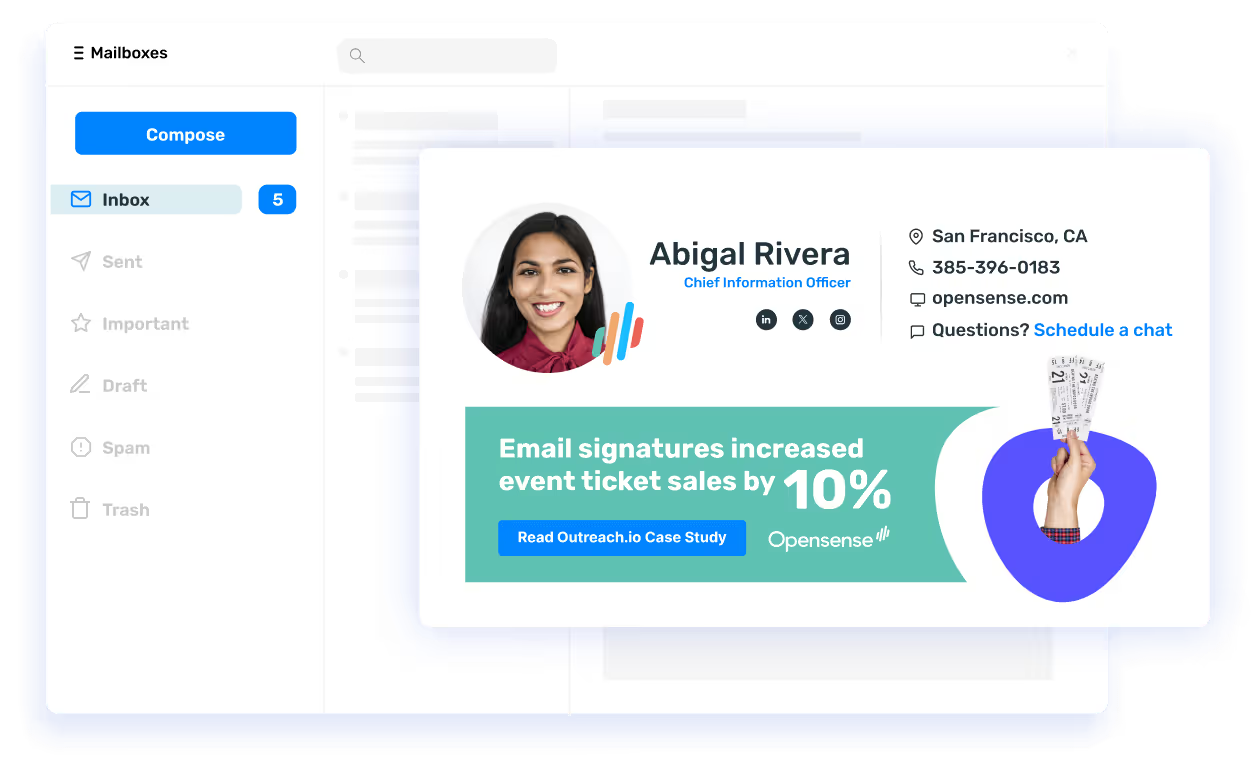
Guard your brand. Grow your funnel.
From beautiful email signatures and powerful ad campaigns to sales analytics and email compliance, Opensense can help you make the most of employee email.
Get demo