Email Signature Management for Google Workspace & Gmail
Opensense is email signature management for every mailbox in your Google Workspace tenant: a Google Workspace signature manager, not a personal Gmail paste. Deploy through the Gmail API, through the Google Workspace Add-on, or run both. Signature fields pull from Google Directory, so when someone’s title or role changes the signature follows without mailbox-by-mailbox edits.

Trusted by the brands you depend on





Deployment
Three ways to deploy in Google Workspace

Gmail API, Server-Side
Signatures are applied automatically through the Gmail API. Nothing for the sender to install, nothing for them to remember.

Google Workspace Add-on
People pick their signature inside Gmail while IT keeps central control of the templates. Run it on its own, or alongside the API deployment.

Google Directory Sync
Names, titles and contact details populate from Google Directory attributes. Group-based rules and SSO come with it. When the directory record changes, managed signatures update from those fields. That is directory-driven management, not a real-time sync claim.

Live in 45 Minutes
Connect the tenant, authenticate with Google Directory, build a template, deploy. Legacy G Suite environments work the same way.
Opensense does not sign documents. If you are comparing DocuSign alternatives inside Google Workspace, this is the wrong product. This manages the signature block at the bottom of every email your company sends.
Book a demoBeyond Signatures
More than the signature block
The same deployment carries banner campaigns, engagement tracking and disclaimer rules. Banners average a 4 to 7% click rate. Teams that only want consistent signatures can ignore all of it.
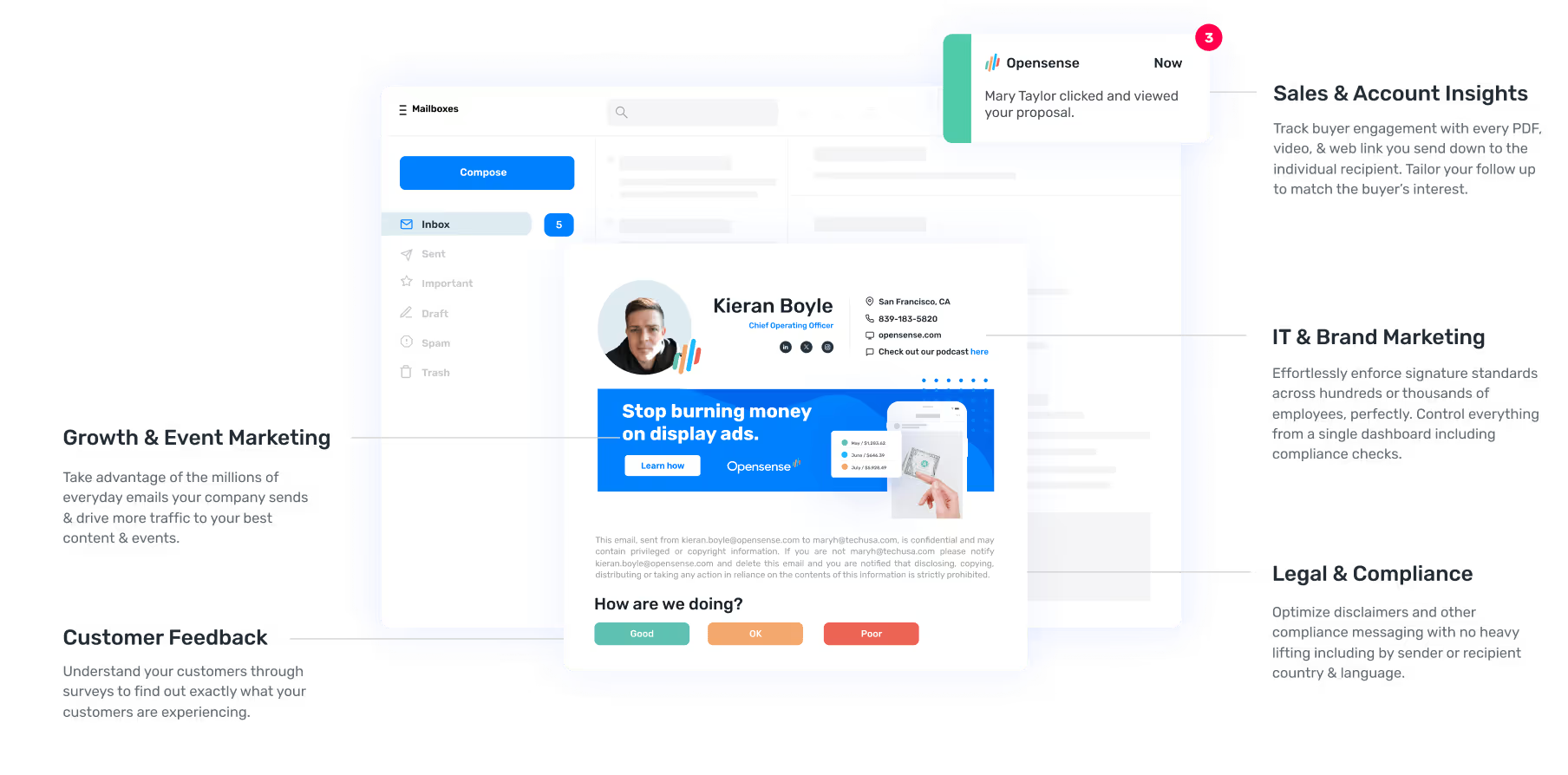
Sales & Account Insights
See how each recipient engages on a thread. Use opens and clicks to prioritize follow-ups.

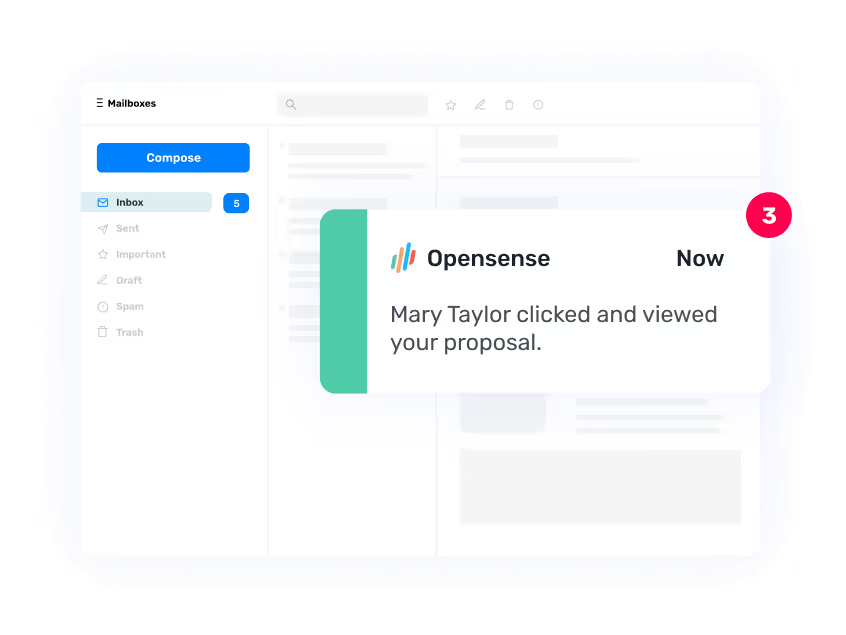
IT & Brand Marketing
Effortlessly enforce signature standards across hundreds or thousands of employees, perfectly. Control everything from a single dashboard including compliance checks.
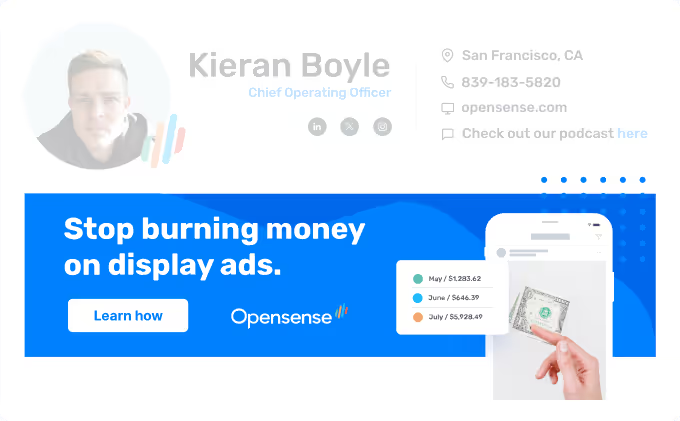
Growth & Event Marketing
With an average CTR of 4-7%, email ad banners promote your campaigns, events, and content to your most engaged audience.
Legal & Compliance
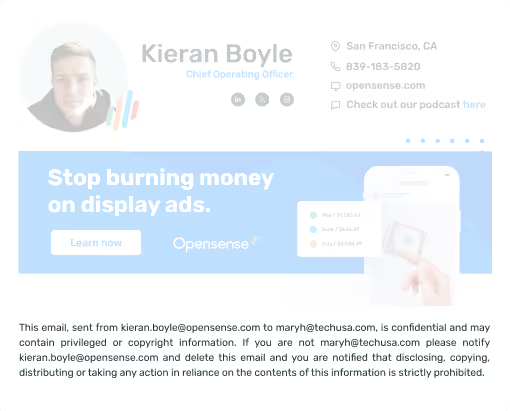
Optimize disclaimers and other compliance messaging with no heavy lifting including by sender or recipient country & language.
Scale
Company-wide, not mailbox by mailbox
One email signature management system covers every mailbox in the Google Workspace tenant. Buyers searching for a Google Workspace signature manager or a Gmail signature manager should recognize this page as the stack answer. The company-wide management hub across Microsoft 365 and Google Workspace stays on email signatures. Microsoft stack detail lives on Office 365 / Microsoft 365.
One Template Set, Every Mailbox
One template set covers every mailbox. Rules target a Google Directory group, and new people are provisioned into the right signature without anyone adding them by hand.
Five Domains Included
Setup configures five additional domains for you. A company running several brands out of one tenant does not deploy five times.
Renders Where Gmail Runs
Signatures render on Gmail web, on Gmail for iOS and Android, and in third-party clients reading the same mailbox.

AICPA SOC2 Compliant
Detailed annual SOC 2 audits are performed on our controls and processes, the "gold standard" for security, integrity, confidentiality, reliability, and privacy controls.

McAfee Enterprise Ready Certified
As a leading antivirus offering, McAfee’s suite of security features offers businesses the best protection from all types of malware threats. McAfee’s ratings are qualified as completely objective.

Independent Security Audits
We engage trusted, world-class, third-party security firms to conduct routine audits and penetration testing of the Opensense service and infrastructure.
Testimonials
What are others saying about Opensense?
Read why the world's most advanced marketing & sales teams use Opensense as their preferred email signature, marketing, sales, and compliance solution.
Opensense has become indispensable in our sales tech stack, helping us scale the team, boost productivity, elevate the customer experience, and reduce friction within the buyer's journey.

"We’re segmenting banners by employee function and communicating different messages all from a single, centralized admin console. Opensense serves as our extra layer for our demand gen campaigns, allowing us to segment banners and communicate different messages effectively. It has been a game changer for our targeted messaging."

"Opensense has been wonderful for promoting Diversity, Equity, and Inclusion initiatives. Starting with Pride Month last year, we extended it to Hispanic Heritage, Pride, and Black History, aligning our logos and featuring banner messages celebrating each occasion. These campaigns are now integral to our organizational identity."

"Opensense provides a level of professionalism that comes with having a bonafide, fortified email signature where nothing can be misconstrued. You have all the power to fix or unfix an email signature for thousands of people with a click of a button. It's a game-changer, especially for a customer-facing industry like ours”

World Class Customer Service
Support during a rollout
24/7 Support
24/7 US-based phone & email support



High-Touch Service
Dedicated Customer Success Managers & Technical Contacts
Quick Response
Maximum 4 hour email response time
Cost and Setup
What it costs to run
- 45 minutesFrom connecting the tenant to the first signature going out.
- 4 hoursMaximum email response time, from US-based support.
- 30 daysEnterprise trial, with no cap on seats.
Most tenants are live in 45 minutes. An annual SOC 2 audit covers the service, and support is US-based, 24/7 by phone and email, with a four hour maximum email response.
Enterprise trials run 30 days with no seat cap, which suits organizations rolling out to several hundred mailboxes or more. Ask for one when you book a demo. This page does not add a self-serve Start free trial button.
Published signature plans: Signature $1, Pipeline $3, and Complete $5 per user per month, with a $500 per month platform minimum plus service plan. GCC High is a Microsoft 365 add-on at +$2 per user per month and is not a Google Workspace SKU. Numbers live on pricing.
Integrations
Connects to the Google stack you already run
Signature and banner content can pull from the systems you already run. Google Directory for identity, Salesforce or HubSpot for CRM fields, Marketo for campaign data.
Templates, targeting rules and banner campaigns are managed from one dashboard.
View integrations
Frequently asked questions
Does Opensense work with Gmail and Google Workspace?
Yes. Opensense is email signature management built for Gmail and Google Workspace. It integrates with Google Directory, the Gmail API, and the Google Workspace admin console. Gmail web, Gmail for iOS and Android, and third-party clients reading the same mailbox are supported. Buyers searching for a Google Workspace signature manager or a Gmail signature manager land here for the Google stack.
How does Opensense deploy email signatures in Gmail?
Three paths for Google Workspace and Gmail signature management: the Gmail API for automatic server-side deployment, the Google Workspace Add-on for in-client control with centralized templates, and Google Directory for field population and group rules. Choose one method or run more than one. Opensense does not sign documents; if you are comparing DocuSign alternatives inside Google Workspace, this is the wrong product.
Can Opensense integrate with Google Directory?
Yes. Native Google Directory integration supports provisioning, dynamic fields from directory attributes, group-based signature rules, and SSO. When employee attributes change in the directory, managed signatures update from those fields. This is directory-driven management, not a real-time sync claim.
Does Opensense work with Gmail on mobile devices?
Yes. Signatures render on Gmail web, Gmail for iOS, Gmail for Android, and third-party clients accessing the same mailbox. Brand stays consistent across those clients when the management platform is connected.
Can I use Opensense with both Gmail and G Suite?
Yes. G Suite is the old name for Google Workspace, and Gmail is the mail client inside it, so both describe the same environment. Legacy G Suite tenants deploy exactly like current ones: Gmail API, Google Workspace Add-on, or both. Signature content pulls from Google Directory either way.
How long does it take to set up Opensense for Gmail?
Most organizations finish first deploy of the Google Workspace signature manager in about 45 minutes: connect the Google Workspace tenant, authenticate with Google Directory, create the first template, and roll out. Implementation and creative-services guidance is available throughout.
Is Opensense a Google Workspace signature manager or just a template tool?
Opensense is email signature management for Google Workspace and Gmail: a tenant-wide signature manager, not a personal HTML paste tool. IT creates, assigns, and enforces signatures from one dashboard. The free email signature generator at https://www.opensense.com/email-signature-generator is for personal blocks. Opensense has a $500 per month platform minimum plus service plan. The broader management hub across Microsoft 365 and Google Workspace is https://www.opensense.com/email-signatures.
Is Opensense SOC 2 certified? Does Google Workspace get GCC High?
Yes, SOC 2 Type II annually (Security, Confidentiality, Availability). GCC High is a Microsoft 365 environment. Opensense is the only email signature platform inside Microsoft 365 GCC High; that is a different stack, not a Google government-cloud claim. Opensense is not a HIPAA product. Details: https://www.opensense.com/security and https://www.opensense.com/gcc-high-email-signatures.
How much does Opensense cost for Google Workspace?
Signature is $1, Pipeline $3, and Complete $5 per user per month, with a $500 per month platform minimum plus service plan. Published on https://www.opensense.com/pricing. Ask about a trial when you book a demo at https://www.opensense.com/demo?ref=google-workspace. This page does not offer a self-serve Start free trial button.
How does Opensense compare to Exclaimer or CodeTwo for Google Workspace?
When shortlisting a Google Workspace or Gmail signature manager, buyers often weigh US-headquartered support, SOC 2 Type II, Gmail API plus Add-on paths, Google Directory sync, optional banners on Pipeline and Complete, and dual Microsoft 365 plus Google Workspace coverage. This page is not a ranked best-of and not a migration guide. Feature detail lives on https://www.opensense.com/alternatives/exclaimer, https://www.opensense.com/alternatives/codetwo, and https://www.opensense.com/alternatives.
See it running in your own Workspace
Deployment path, Google Directory mapping and template design, walked through against your actual setup.